Posting pictures
-
shoprat53 if you can the best thing is to resize them to 60%. Another way is to screen shot your photo and send the screen shot. I don’t know why this works but it does. Hope this helps. I’m also technically challenged it took me forever to figure it out.
-
shoprat53 I usually take a screenshot because pics strait out of your gallery are too big of a file. If you screenshot it first, then post the screenshot it will load. Another thing I will do is email it to myself, save the photo, then use that. At least with my phone , the pic will post then, it not too big of a file.
-
shoprat53 if you can the best thing is to resize them to 60%. Another way is to screen shot your photo and send the screen shot. I don’t know why this works but it does. Hope this helps. I’m also technically challenged it took me forever to figure it out.
-
kyle gotta agree with you brother.
-
shoprat53 It took me a while to figure out how to post pictures without replying to someone’s post. At the top of your screen there should be a blue box with a left pointing arrow. If you got that arrow you can reply to the category you’re on. To post the picture, there’s a picture icon on the right end of the tool bar above your text box. If you click that icon, you’ll be promoted to select your picture. If the file is too big you’ll have to do the screen shot thing. Not sure if this is what you’re looking for but hope it helps.
-
shoprat53 It took me a while to figure out how to post pictures without replying to someone’s post. At the top of your screen there should be a blue box with a left pointing arrow. If you got that arrow you can reply to the category you’re on. To post the picture, there’s a picture icon on the right end of the tool bar above your text box. If you click that icon, you’ll be promoted to select your picture. If the file is too big you’ll have to do the screen shot thing. Not sure if this is what you’re looking for but hope it helps.
wdaly thanks for that information. I always have to reply to a post to post a picture.
-
shoprat53 It took me a while to figure out how to post pictures without replying to someone’s post. At the top of your screen there should be a blue box with a left pointing arrow. If you got that arrow you can reply to the category you’re on. To post the picture, there’s a picture icon on the right end of the tool bar above your text box. If you click that icon, you’ll be promoted to select your picture. If the file is too big you’ll have to do the screen shot thing. Not sure if this is what you’re looking for but hope it helps.
-
cdavis That’s what I was doing as well. Just took me awhile to figure it out.
-
kyle That’s funny. I did the same thing so you guys wouldn’t think I was nuts!
-
-
cdavis my day used to say “it’s better to keep your mouth shut and let people think your nuts then to say something and remove all doubt” He had alot of that kind of advice for me that took me many years to figure out. It will be 2 years ago oct 29th that we lost him. Miss him everyday.
hey vegetarians, my food poops on your food!
-
cdavis my day used to say “it’s better to keep your mouth shut and let people think your nuts then to say something and remove all doubt” He had alot of that kind of advice for me that took me many years to figure out. It will be 2 years ago oct 29th that we lost him. Miss him everyday.
kyle just keep his memory alive and make him proud. I know you will. Be safe my friend

-
cdavis my day used to say “it’s better to keep your mouth shut and let people think your nuts then to say something and remove all doubt” He had alot of that kind of advice for me that took me many years to figure out. It will be 2 years ago oct 29th that we lost him. Miss him everyday.
kyle Isn’t it amazing how much smarter your Dad is when you don’t have him anymore. It’s been 15 years and I still miss his advice. He didn’t say alot, but when he talked it was worth listen.
-
kyle Isn’t it amazing how much smarter your Dad is when you don’t have him anymore. It’s been 15 years and I still miss his advice. He didn’t say alot, but when he talked it was worth listen.
-
You can find several free photo compression apps in the app store for iphone or google play store for android. It is better than screen shooting or emailing your pictures to yourself. It takes like 30 seconds.


-
I email the pics to my self and when I press send it asks me what size I want to send and I select medium. Then I just post everything from my computer.

-
You can find several free photo compression apps in the app store for iphone or google play store for android. It is better than screen shooting or emailing your pictures to yourself. It takes like 30 seconds.
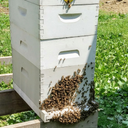
Grimpuppy Looks like you’re all stocked up for winter. Didn’t realize there were apps for compressing photos. I’ll have to check on some. Thanks.
-
kyle Isn’t it amazing how much smarter your Dad is when you don’t have him anymore. It’s been 15 years and I still miss his advice. He didn’t say alot, but when he talked it was worth listen.
wdaly I realized my was pretty smart and wanted my best interest after I moved 1200 miles away, luckily I made it home twice a year to see my parents before they passed. Still miss them, especially my dad this time of year because deer hunting is coming.
-
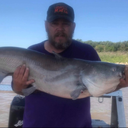
Testing out the new photo compression app that I downloaded.

That works slick…thanks Grimpuppy!
-
The “post quick reply” doesn’t let you add pics, you have to use the reply button on top








Hello! It looks like you're interested in this conversation, but you don't have an account yet.
Getting fed up of having to scroll through the same posts each visit? When you register for an account, you'll always come back to exactly where you were before, and choose to be notified of new replies (either via email, or push notification). You'll also be able to save bookmarks and upvote posts to show your appreciation to other community members.
With your input, this post could be even better 💗
Register LoginSponsored By: